For Engineering Managers
How to Write and Track Bug Reports Effectively
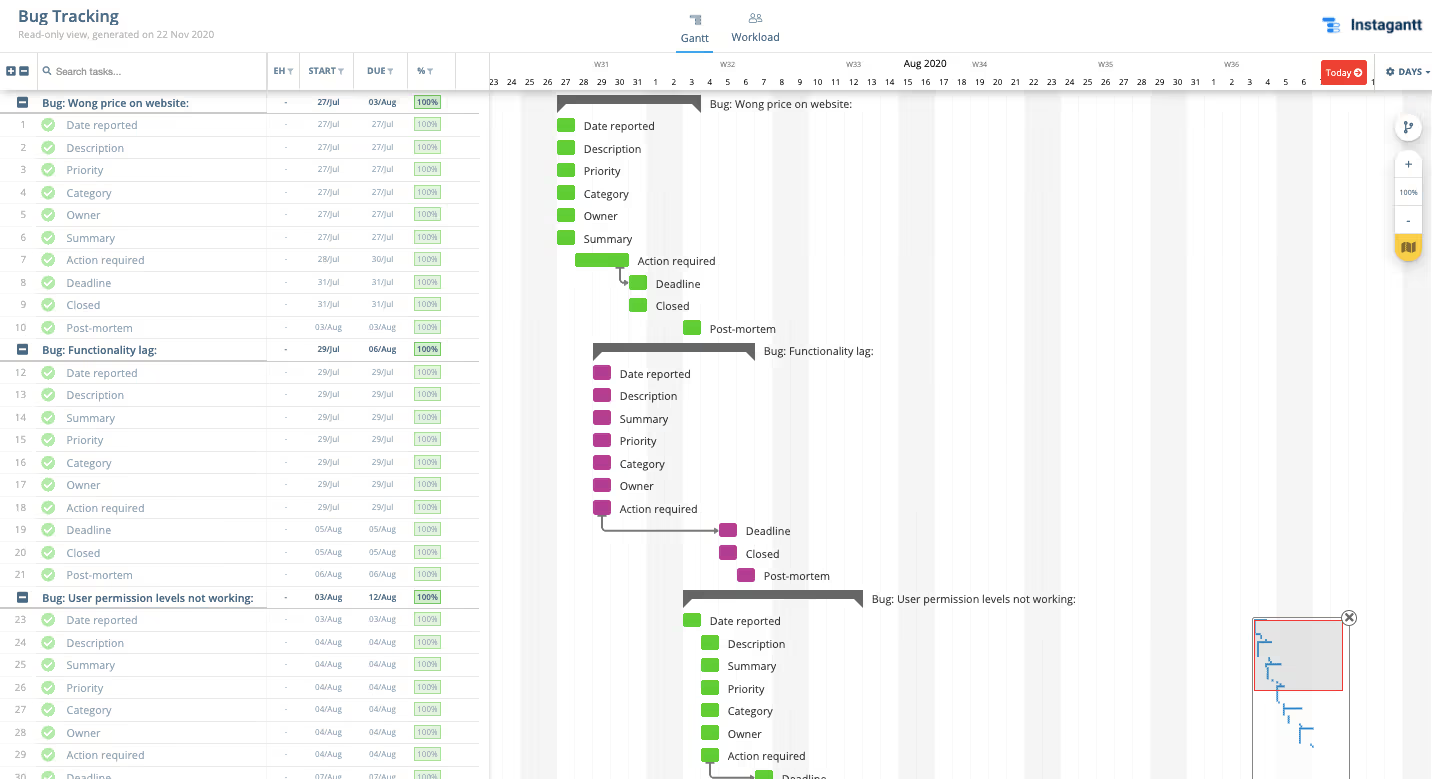
Bug tracking is a critical practice for any engineering team. This template helps you manage the full bug lifecycle—from discovery and triage through fix, testing, and deployment—all on a visual Gantt chart.





What Is a Bug Report?
A bug report is a document that describes a software defect with enough detail for a developer to reproduce and fix it. Good bug reports include steps to reproduce, expected vs. actual behavior, environment details, and severity.
When tracked on a Gantt chart, bug reports become part of your team’s visible workflow—with clear ownership, deadlines, and sprint assignments.
Why Is Bug Tracking Important?
Without systematic bug tracking, defects pile up and quality degrades. A structured approach ensures bugs are triaged by severity, assigned to the right developer, and fixed before they impact users.
Visualizing bugs on a timeline alongside feature work gives engineering managers a complete picture of team capacity and sprint health.
How to Write a Bug Report
A good bug report includes: a clear title, steps to reproduce, expected behavior, actual behavior, environment details (browser, OS, version), screenshots or screen recordings, and severity classification.
Use Instagantt to track bugs from triage through fix, QA verification, and deployment. Color-code by severity, link related bugs with dependencies, and track which release each fix ships in.