Asana Gantt Chart Made Easy
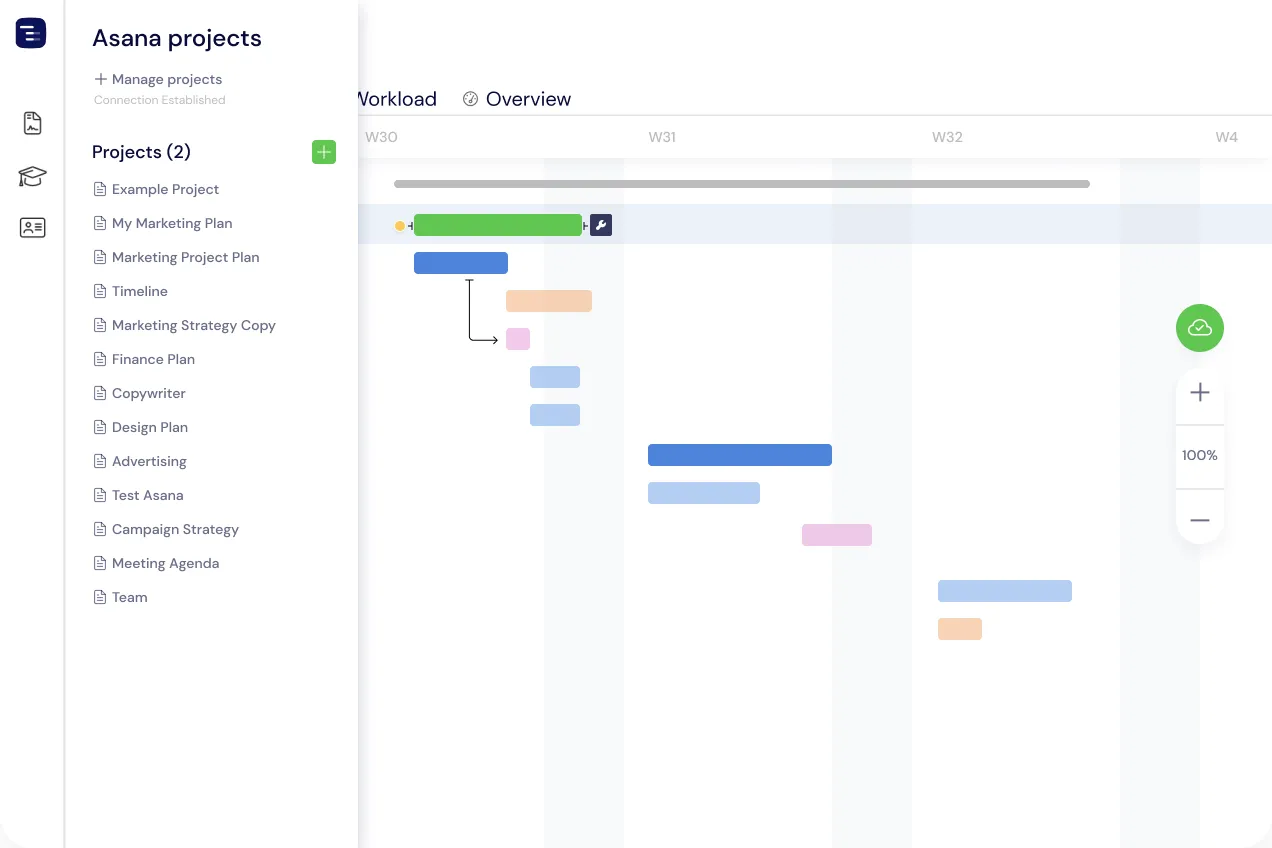
Instagantt connects to Asana in seconds and keeps tasks and due dates in two-way sync. Changes made in Instagantt automatically update in Asana and the other way around.





Benefits of integration
Timeline function
See how delays impact your projects
Operational Control
Know how project resources are managed
Cost Control
See the cost of your project
Collaboration
Combine project to manage resources
Workload management
Know who's busy with what at any given time
Project Grouping
Combine more than one project in one single chart
We convert your Asana projects into Gantt charts in less than 30 seconds
How to connect with Asana
Login with Asana
Sign in to Instagantt for Asana with your Asana account. No complex setup—just authorize and you're connected.
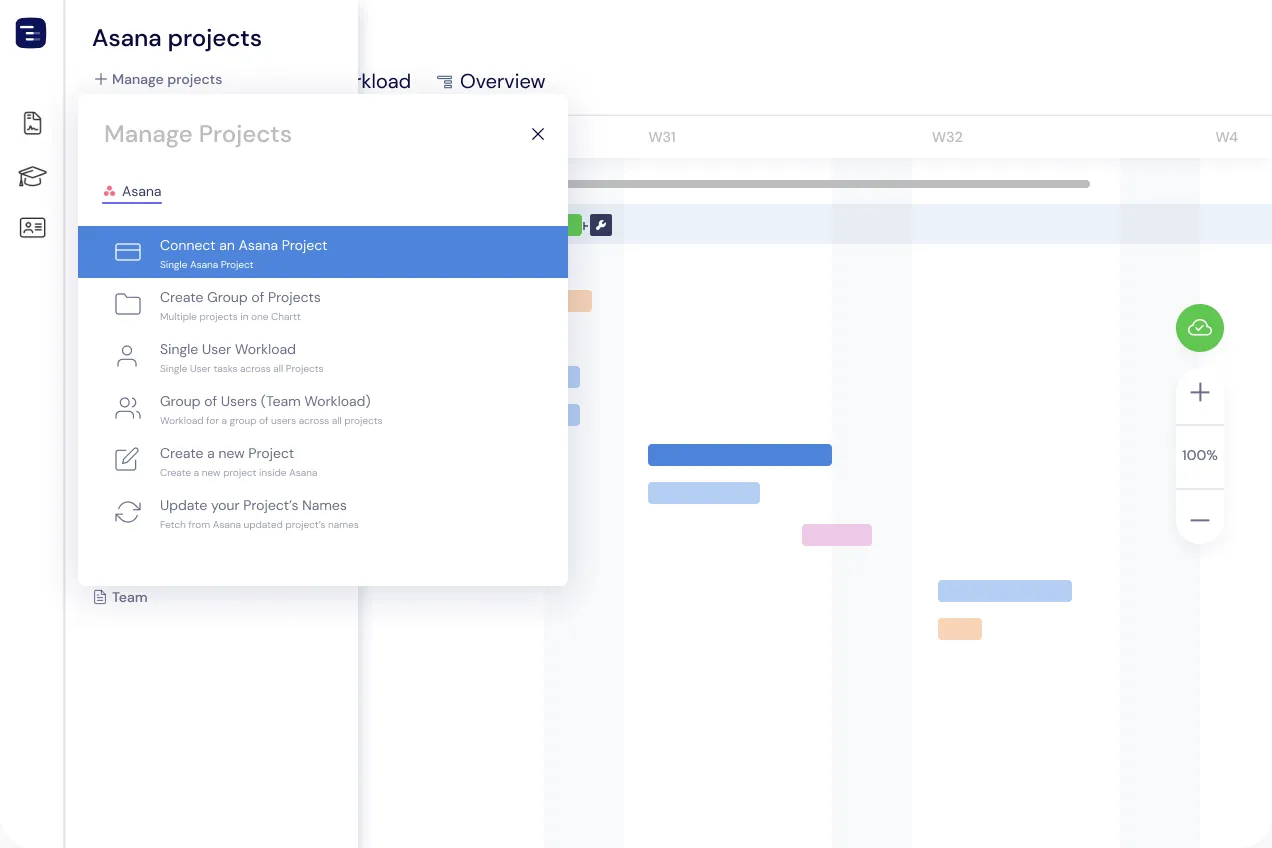
Connect a Project
Select any Asana project and view it as a Gantt chart in less than 30 seconds. All tasks, subtasks, and dates sync automatically.
Make changes
Drag and drop tasks to reschedule, add dependencies, set baselines, and track costs. Every change syncs back to Asana instantly.
Collaborate with others!
Share your Gantt chart with team members, stakeholders, and clients. Export as PDF or use Public Snapshots for read-only access.
Testimonials
I use Asana, but don't like the Timeline View within the app. Instagantt integrates directly with Asana, pulling in all the tasks, subtasks, dates, owners, notes, etc. The tasks are easy to read in Instagantt, and dragging/dropping to shift dates is fast. Instagantt updates Asana instantaneously so everything stays in sync.
Kenichi N.
I was struggling with planning different projects at the same time. Having everything under control was difficult and having everything on my mind was impossible. With Instagantt I can have all tasks organised by project, date and I can control operator workload and decide which operator can be assigned to new tasks.
Marion M.
Instagantt solves all of my Gantt chart and project management system needs. It isn't ridiculously expensive and that makes it accessible for SOHO businesses. The support team are top-notch and resolve things quickly. New feature requests are also taken onboard.
Sadie K.
Amazing! I love this product. I was appointed in a position where they don't have any PM processes or software in place. I suggested other software products first. Once I tested this and simulated projects, I knew this was the right one.
Tony R.
I looked at 10 other software tools including Microsoft Project, monday.com, and many other solutions. This is the best product for creating schedules based on multiple dependent tasks that is easily used as a weekly meeting go-to system.
Divan B.
We are able to track and manage projects with very few resources and Instagantt and Asana being linked is now our go-to tool for project management.
Emily S.
Does Asana have Gantt charts?
Asana includes a Timeline view that shows tasks on a horizontal axis, but it lacks features that experienced project managers expect from real Gantt chart software — critical path highlighting, baselines, advanced dependencies (FS and SS with lag/lead), and PDF export with branding. Instagantt fills this gap by connecting to your Asana workspace and rendering projects as full-featured Gantt charts. Tasks, sub-tasks, assignees, due dates, and custom fields sync bidirectionally in real time, so your team keeps working in Asana while you plan, present, and track timelines in Instagantt.
Frequently Asked Questions
Yes— simply share a Public Snapshot to share a read-only view of a project in Instagantt for Asana.
Yes—you can create baselines to compare plan vs. current schedule.
Yes—changes to start/due dates and dependencies sync to Asana.
Yes—filter and group by assignees, tags, and supported custom fields.
Yes—drag-and-drop updates dates and syncs them with Asana.
Yes—you can connect projects from different workspaces.
No—project access in Asana is enough to connect and sync, however, the level of permissions will be inherited in Instagantt too.
Instagantt syncs continuously with Asana, to save any changes as soon as they’re made. To sync any changes made in Asana simply use the sync button and all latest changes will be reflected in Instagantt.
Yes—dependencies and milestones are supported and kept in sync.
Yes—tasks, subtasks, sections and start/due dates appear in Instagantt.
Yes, you can use the free version of Instagantt for Asana, which allows you to connect a maximum of 3 projects and no groups.
Yes, you can create Groups of Projects to load combined Gantt charts of more than one project. Keep in mind that this is a premium feature on Instagantt for Asana.
Yes, if you make a change in Asana, it will sync to Instagantt for Asana. You may need to click the sync button to retrieve the latest changes.
Yes, if you make changes on Instagantt for Asana, they will automatically sync with Asana to save them.
Yes, they’ll just need to login with Instagantt for Asana using their Asana accounts and connect the projects to start collaborating.
More from Instagantt
Beyond the Asana integration, Instagantt is a complete gantt chart software platform. Explore the rest of the product: