Workbooks
A Place for Project Organization
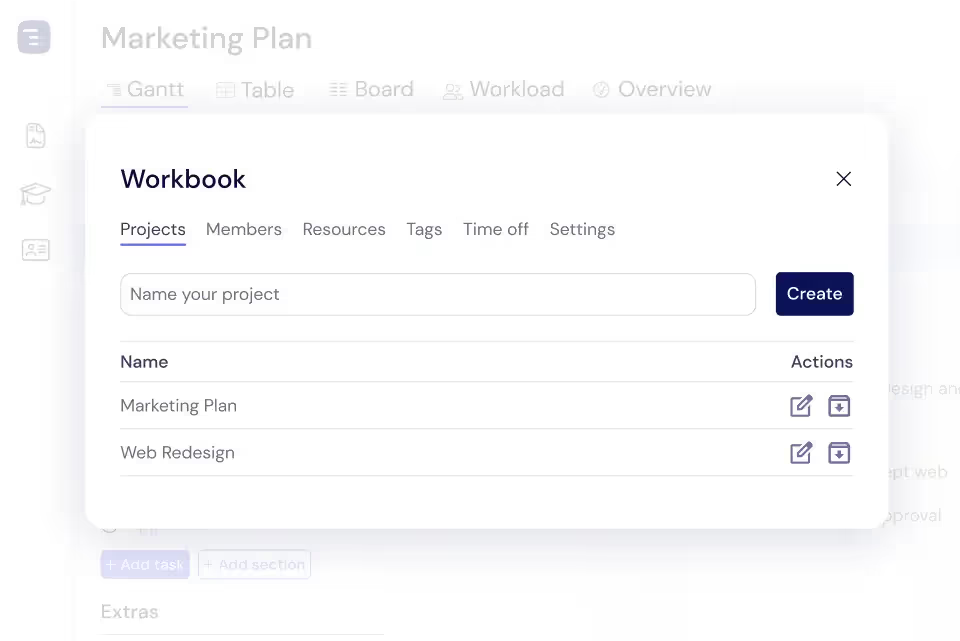
Instagantt Workbooks let you group related projects into organized containers by client, department, or initiative. Each workbook provides aggregate metrics, shared resource views, and cross-project timelines so program managers can coordinate multi-project portfolios without losing the big picture.





Trusted by 25,000+ Teams across the Globe
Manage Projects in Workbooks
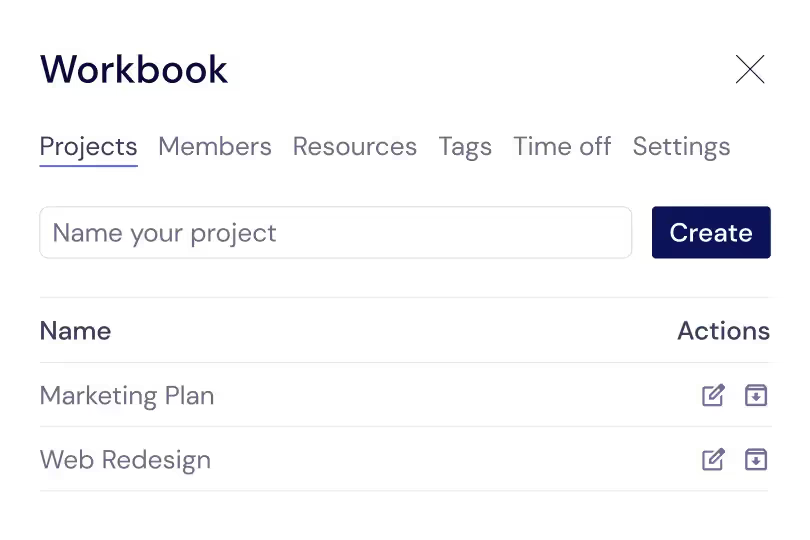
Add, remove, and organize projects within each workbook to maintain a clean portfolio structure. Get a clear overview of which projects belong together, see their collective progress, and manage them as a unified program. The workbook project list shows summary information for each project — status, progress, timeline, and key milestones — so you can quickly assess the health of your entire portfolio from one screen.
Team Members & Resources
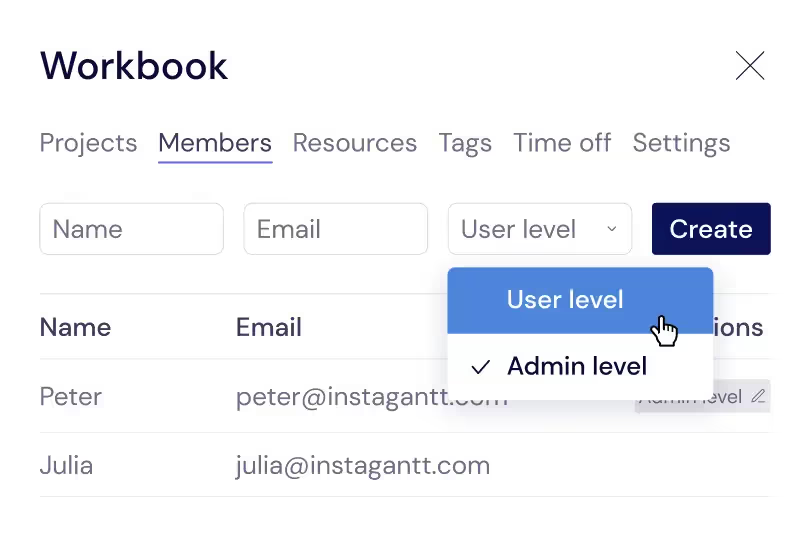
See all team members assigned across workbook projects in a centralized resource view. Understand who is contributing to which projects within the workbook, how their time is allocated, and where resource conflicts exist between related projects. This team-level visibility helps program managers make informed staffing decisions and ensure that critical projects have the talent they need.
Resource Management
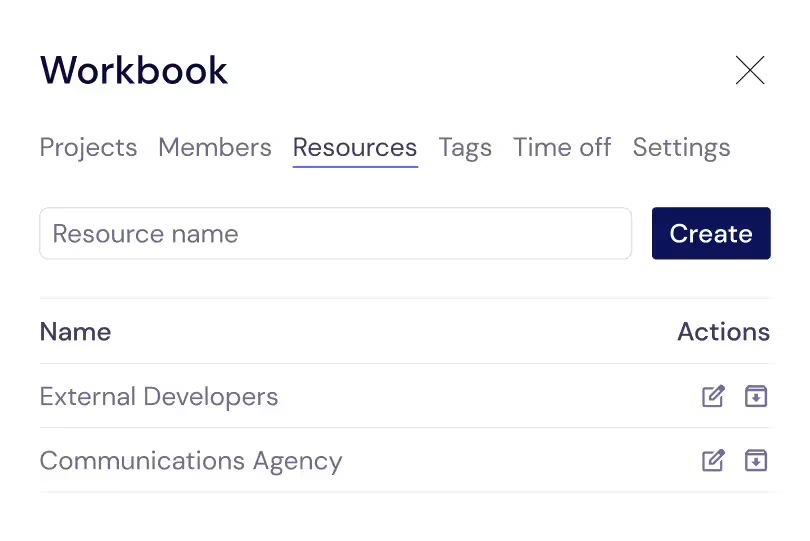
Track and allocate resources across all projects in a workbook to ensure balanced workloads and prevent overallocation within your program or initiative. The resource management view aggregates team assignments across related projects, revealing when a team member is committed to too many tasks within the same workbook. Rebalance assignments to keep your portfolio on track and your team productive.
Cross-Project Timeline View
See tasks from all projects in a workbook on a single combined timeline that reveals cross-project dependencies, overlapping deadlines, and shared milestones. This unified view is invaluable for program managers who need to coordinate deliverables across related projects and ensure that work in one project does not conflict with schedules in another. Identify resource bottlenecks that span multiple projects and make informed decisions about priorities based on the complete picture of all related work.
Portfolio-Level Reporting
Generate reports that aggregate data across all projects in a workbook for executive reviews, client updates, and stakeholder presentations. Portfolio-level metrics like total progress, combined budget utilization, overall timeline adherence, and milestone completion rates give leadership the high-level view they need without diving into individual project details. Export portfolio reports as PDF for presentations or CSV for detailed analysis in spreadsheet applications.
Project Templates
Save project configurations as reusable templates that capture the structure, default settings, custom fields, and organizational patterns your team uses repeatedly. When you start a new client engagement, quarterly initiative, or internal program, create a project from a template to instantly replicate your proven setup inside the workbook. Project templates keep similar initiatives consistent and cut setup time dramatically, so your team gets started faster with a familiar, reliable structure.
Cross-Project Dependencies
Link tasks across different projects within a workbook so that dependencies between projects are visible and enforceable. When a deliverable in one project blocks work in another project, the cross-project dependency makes this relationship explicit on the timeline. If the upstream task slips, you can immediately see which downstream tasks and projects are affected. This dependency visibility is essential for program managers who coordinate complex initiatives where multiple teams contribute to a shared outcome and delays in one area cascade through the entire program.
Shared Team Resources Across Projects
Manage team resource allocation across all projects in a workbook from a single Workload View. See which team members are assigned to tasks across multiple projects and identify overallocation or scheduling conflicts that only become visible at the portfolio level. When one project needs additional resources, scan availability across the workbook to find team members with capacity. This unified resource management approach prevents the common problem of multiple project managers unknowingly competing for the same team members.
Key Capabilities
Everything you need, nothing you don't.
Project Grouping
Organize multiple projects under themed workbooks that reflect your organizational structure — by client, department, program, or strategic initiative. Each workbook acts as a container that keeps related projects together and separate from unrelated work. As your project count grows, workbooks prevent your workspace from becoming a disorganized list of disconnected projects.
Cross-Project View
See tasks from multiple projects on a single combined timeline that reveals cross-project dependencies, overlapping deadlines, and shared milestones. This unified view is invaluable for program managers who need to coordinate deliverables across related projects and ensure that work in one project does not conflict with work in another.
Shared Settings
Apply consistent color schemes, custom fields, status labels, and view configurations across all projects grouped in a workbook. Shared settings ensure visual consistency and data standardization across related projects, making it easier to compare performance, generate meaningful cross-project reports, and maintain a unified look across related initiatives.
Portfolio Reporting
Generate reports that aggregate data across all projects in a workbook for stakeholder updates and executive reviews. Portfolio-level metrics like total progress, combined budget utilization, and overall timeline adherence give leadership the high-level view they need without diving into individual project details. The aggregated data ensures accurate portfolio-level decision making and gives executives the confidence that project investments are delivering expected outcomes across the organization.
Access Control
Set permissions at the workbook level to control who can view and edit the projects within it. Workbook-level access control is perfect for managing client confidentiality — external stakeholders can access their client workbook without seeing other clients' projects. Internal teams can be granted access to their departmental workbook without exposure to other departments.
Templates
Save workbook configurations as templates that capture project structure, default settings, and organizational patterns. When you start a new client engagement or departmental initiative, create a workbook from a template to instantly replicate the project structure, custom fields, and settings that your organization has standardized for consistency across all engagements.
Explore More Features
Discover everything Instagantt has to offer for your project management workflow.