Instagantt Product Update: October 2026
By Instagantt team
Instagantt just got a fresh new look ✨ We’ve redesigned the app from the ground up with a cleaner interface, rebuilt our PDF and image exports around your feedback, and added faster ways to get around. Instagantt Standalone users also get new project views, a palette you can make your own and a tidier sidebar.
Here’s everything that’s new, starting with what every Instagantt user gets, followed by the extras that are exclusive to Instagantt Standalone. A quick summary table at the end shows what’s included in each version.
🌍 For everyone: Instagantt Standalone and Instagantt for Asana
🎨 A fresh, cleaner design
Instagantt looks and feels lighter. We’ve cleaned up the interface so your project plan takes center stage. Along the way, some buttons and menus got new names or new homes; you’ll find the most important ones below.
🖨️ PDF and image exports, redesigned with you
You told us what you wanted from your exports, and we listened. Gantt charts exported as PDFs and images now have a brand-new design, so the plans you send to clients, managers and stakeholders look sharper than ever. All the settings you rely on are still there: PNG or PDF, single or multi-page PDFs in Letter, A4, A3 or A1, the whole project or just the tasks you select, custom dates, task list columns, baselines and your own logo.
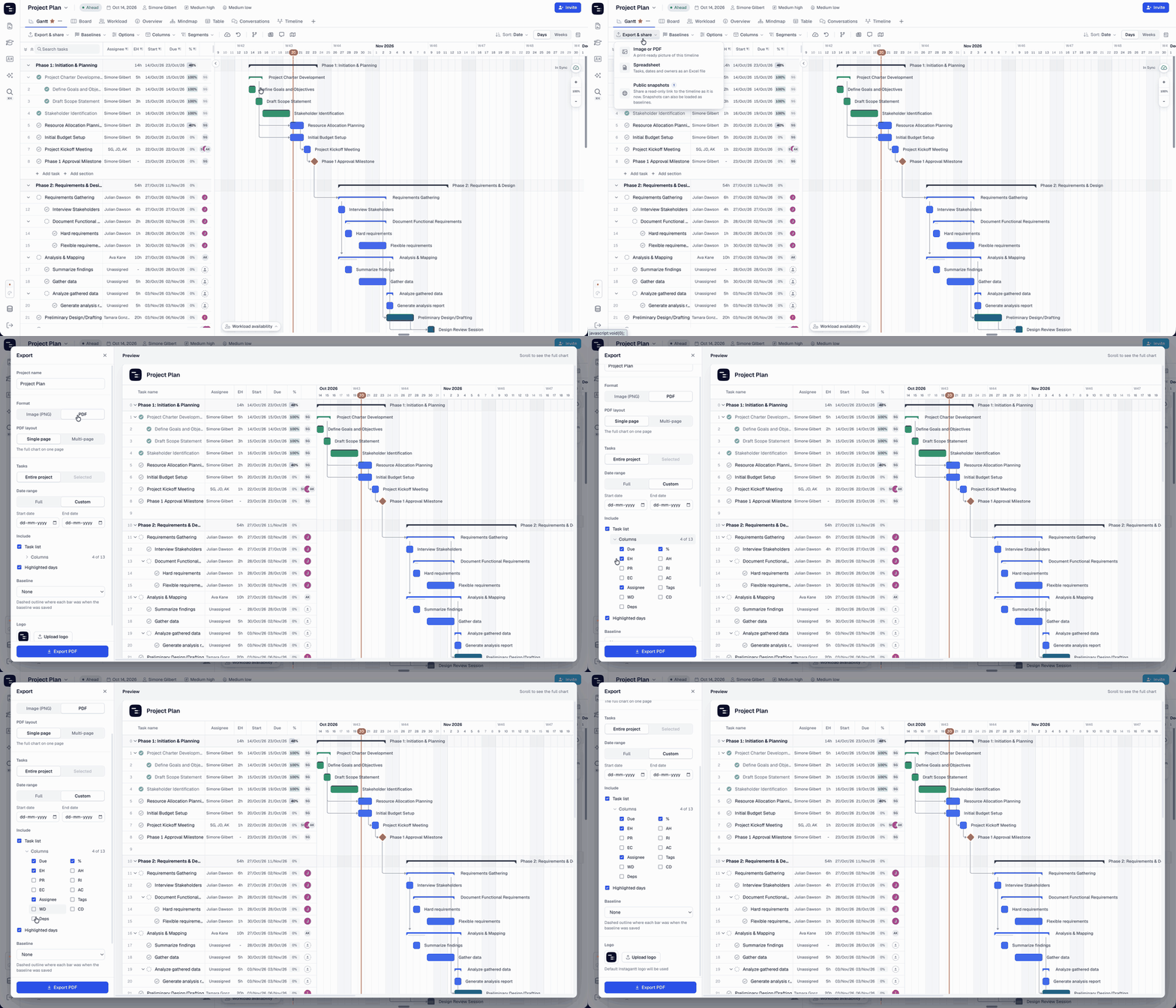
Read the guide: PDF and Image Export
⚡ Search & Commands
Get anywhere in seconds. Press ⌘K (Mac) or Ctrl + K (Windows) to search your projects, switch views, open exports and snapshots, or change project settings, all from one box and without leaving your keyboard.
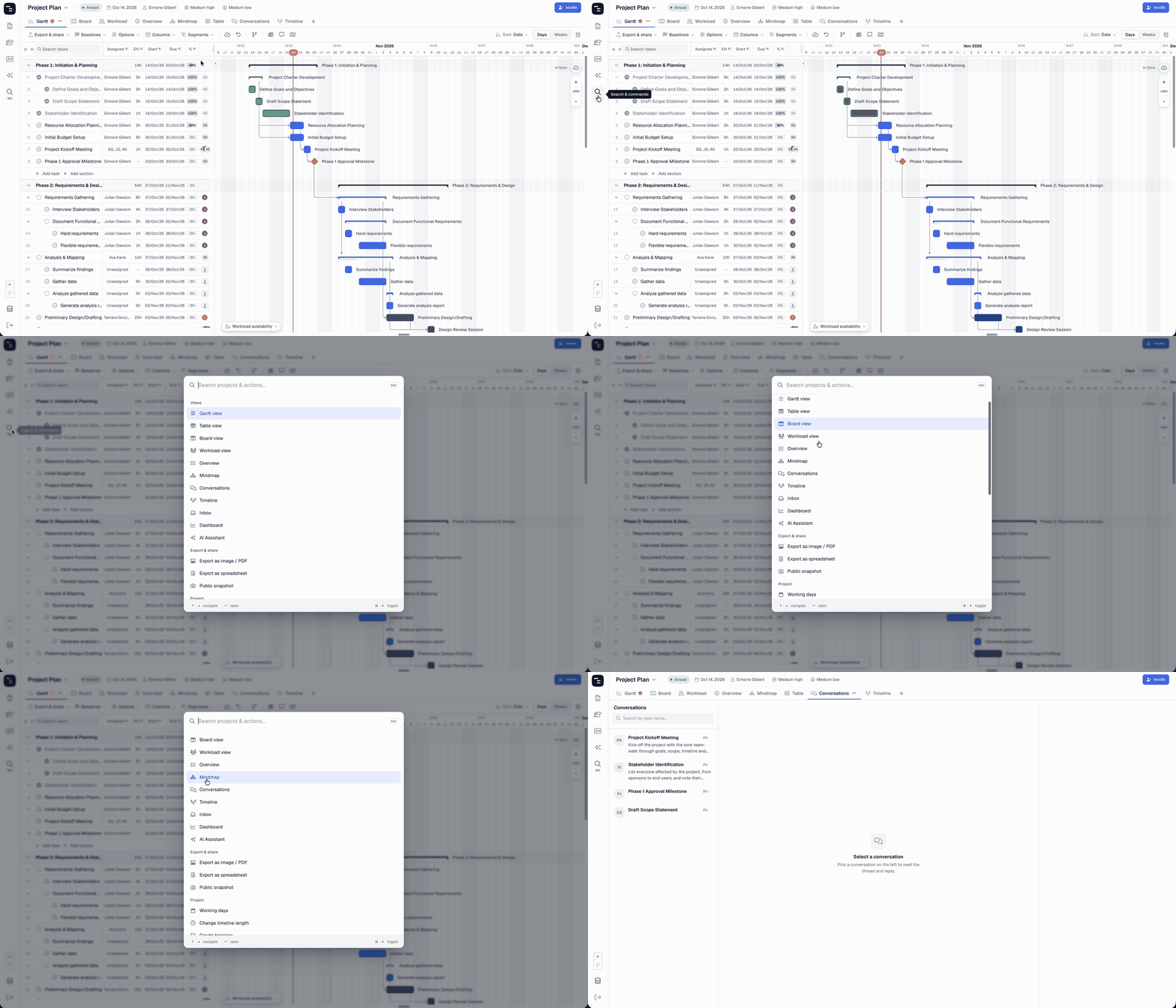
Read the guide: Search & Commands
↕️ Comfortable or compact: you choose
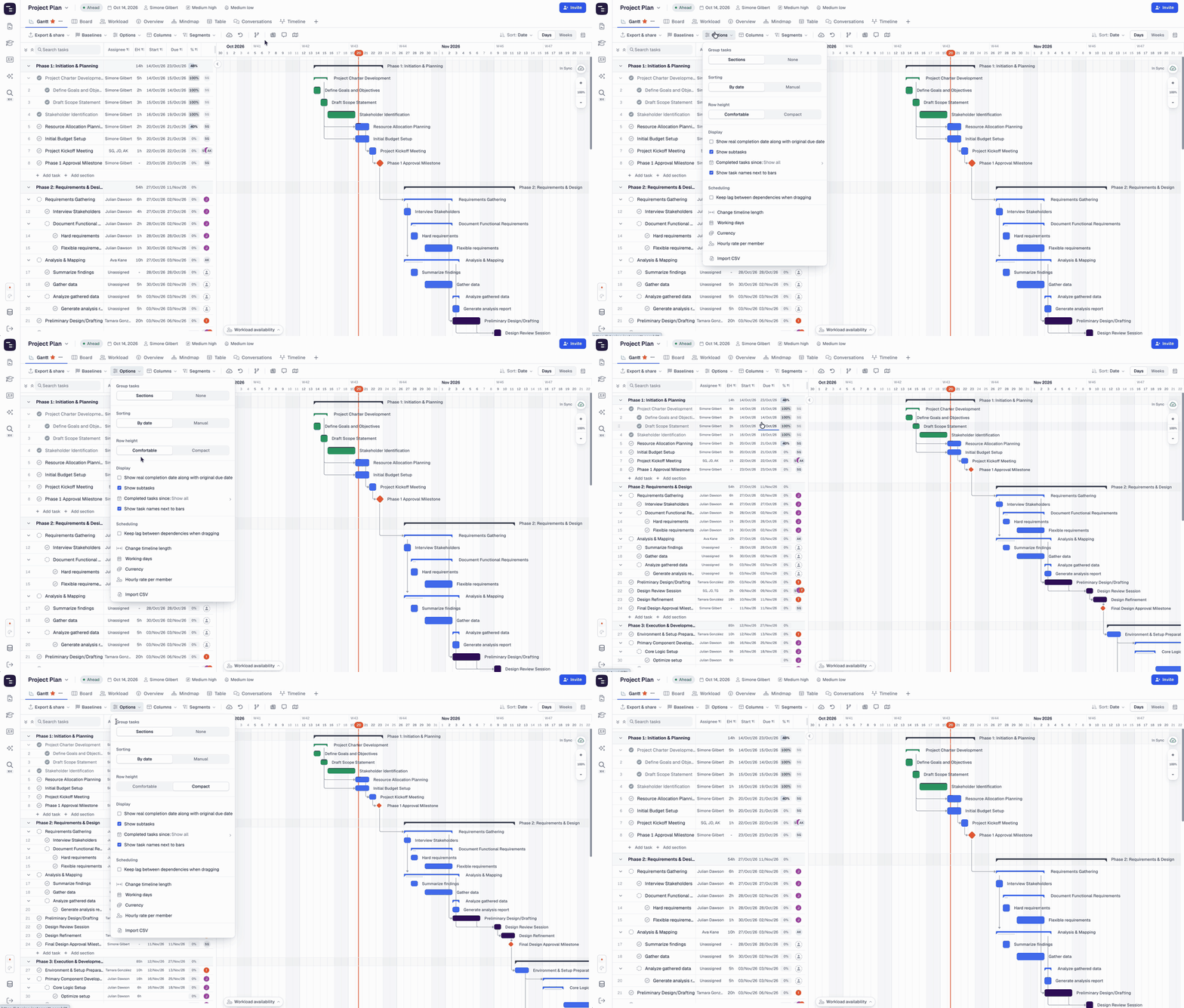
Like a roomy view, or want to see as many tasks as possible? Switch between Comfortable and Compact in the Options menu and work the way you like.
📑 Duplicate project has a new home
Reusing a project plan is just as easy, it simply moved. Click the arrow next to your project’s name at the top of the screen and choose Duplicate project.
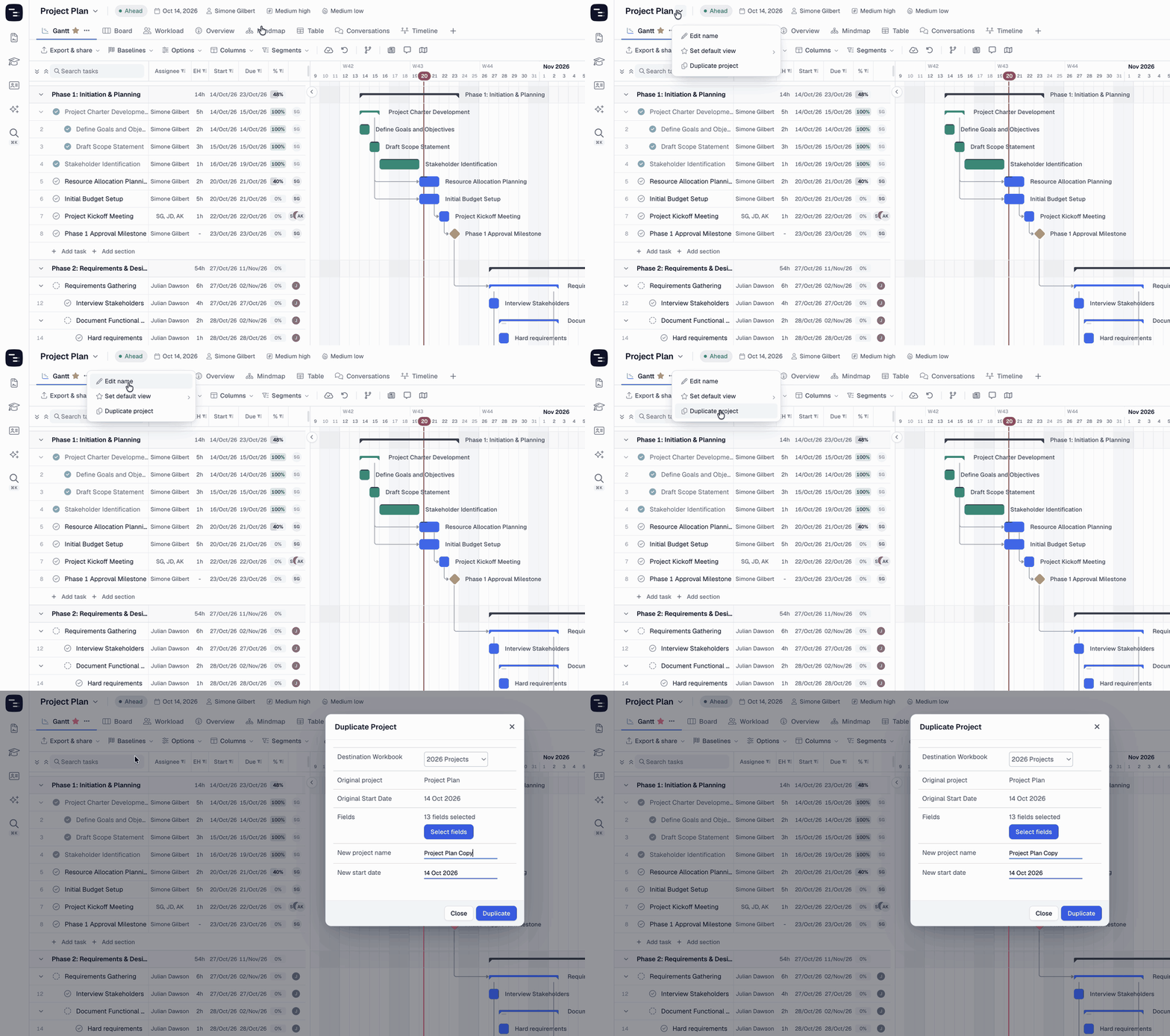
Read the guide: Duplicate Projects
📅 A simpler Days & Weeks switch
Switching scales is now a single click with the Days / Weeks toggle in the top-right corner of your Gantt chart. Week numbers and the Today marker live right next to it, under the calendar icon.
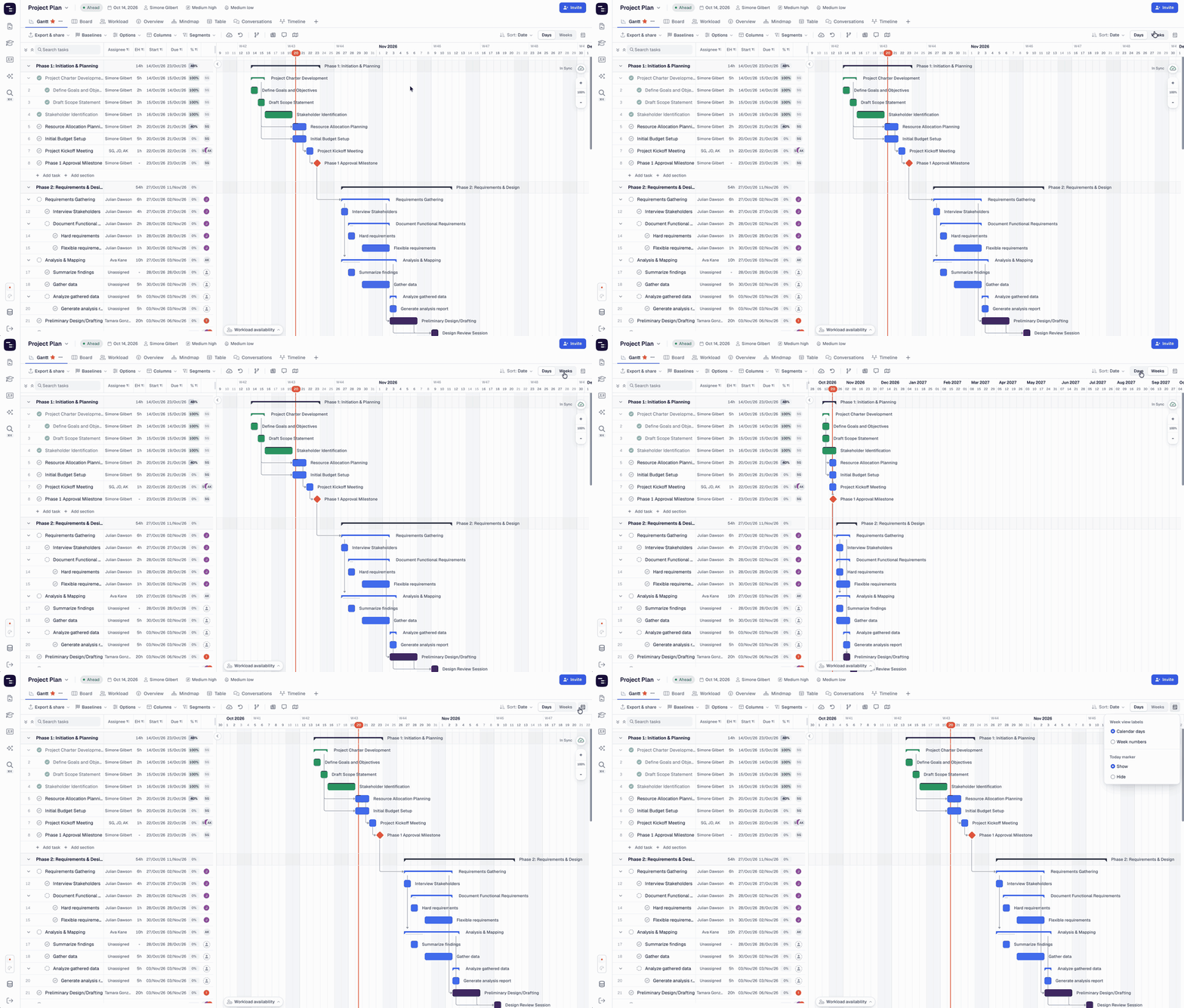
Read the guide: Day & Week Scale
🔗 Public snapshots, refreshed
Creating a snapshot now happens in one clear dialog where you choose the views, columns, baseline and logo to share. Your two links have friendlier names: This snapshot, a fixed copy, and Latest snapshot, which always shows your newest version.
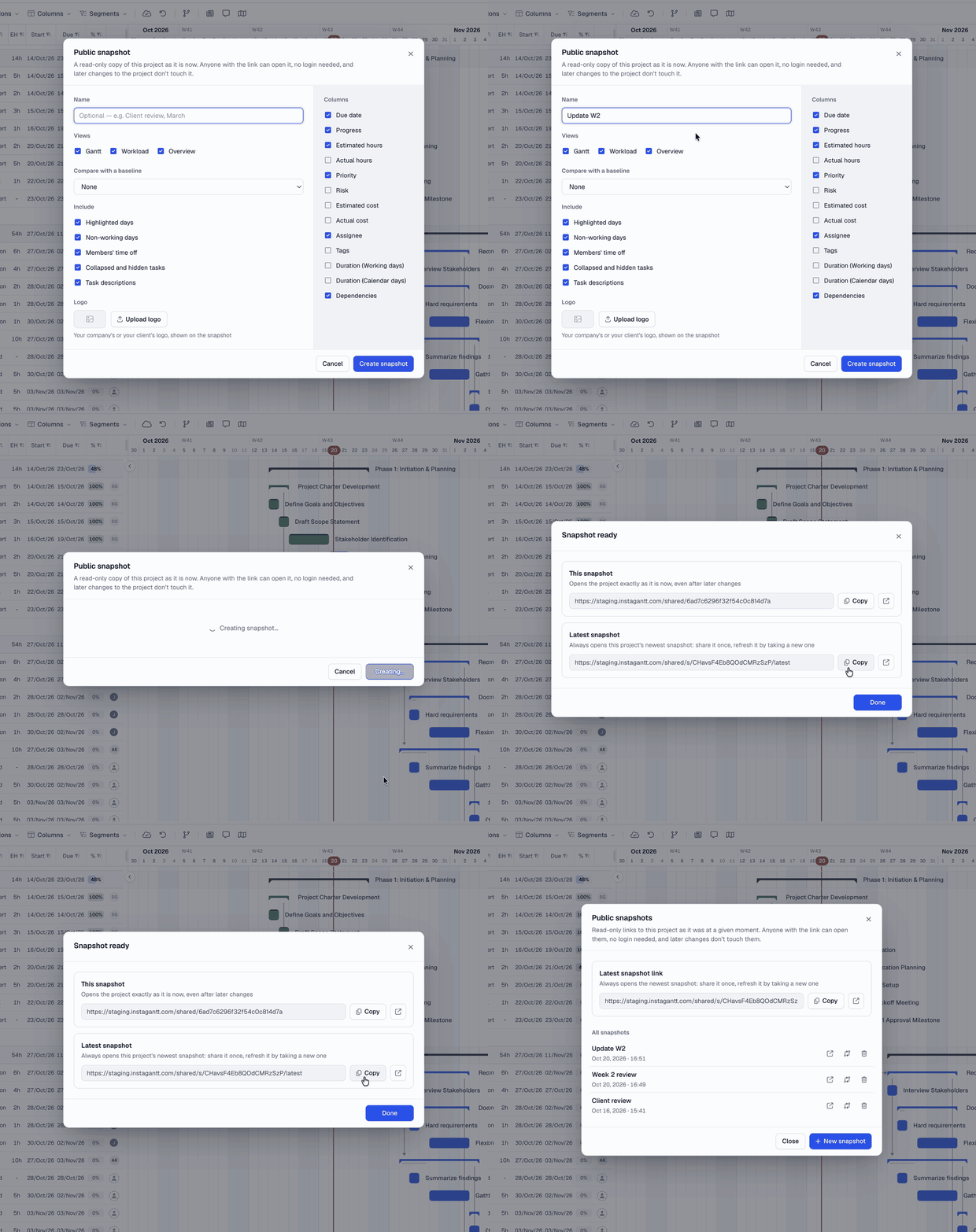
Read the guide: Public Snapshots
✨ More polish all around
We’ve also polished Board View, Critical Path, Workload and spreadsheet exports with clearer controls and labels.
🚀 Exclusive to Instagantt Standalone
These features are available in Instagantt Standalone only.
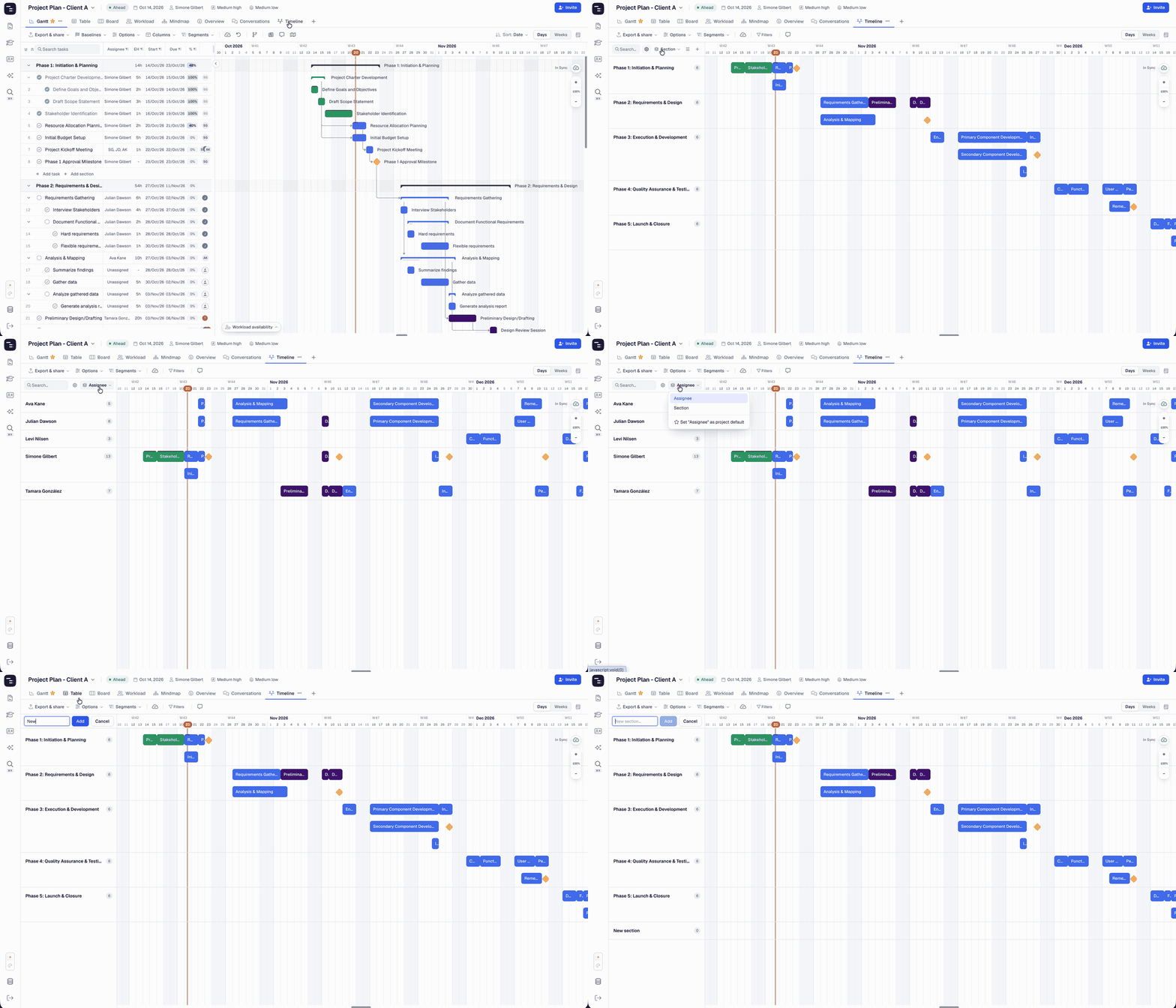
🗂️ Timeline View
See who’s doing what, and when, at a glance. Timeline View shows your project plan as swimlanes by section, person or custom field. Drag bars to reschedule, add tasks right on the timeline, and present your roadmap in a way everyone understands. It’s ideal for product roadmaps, release planning and client presentations, and grouping by assignee turns it into a quick resource planning tool to see who’s busy when.
💬 Conversations View
Every comment thread in your project, in one place. Catch up on discussions, reply with @mentions and keep the whole team on the same page without opening tasks one by one. It works like a team inbox for your project: perfect for daily check-ins, remote and hybrid teams, and following client feedback or approval threads.
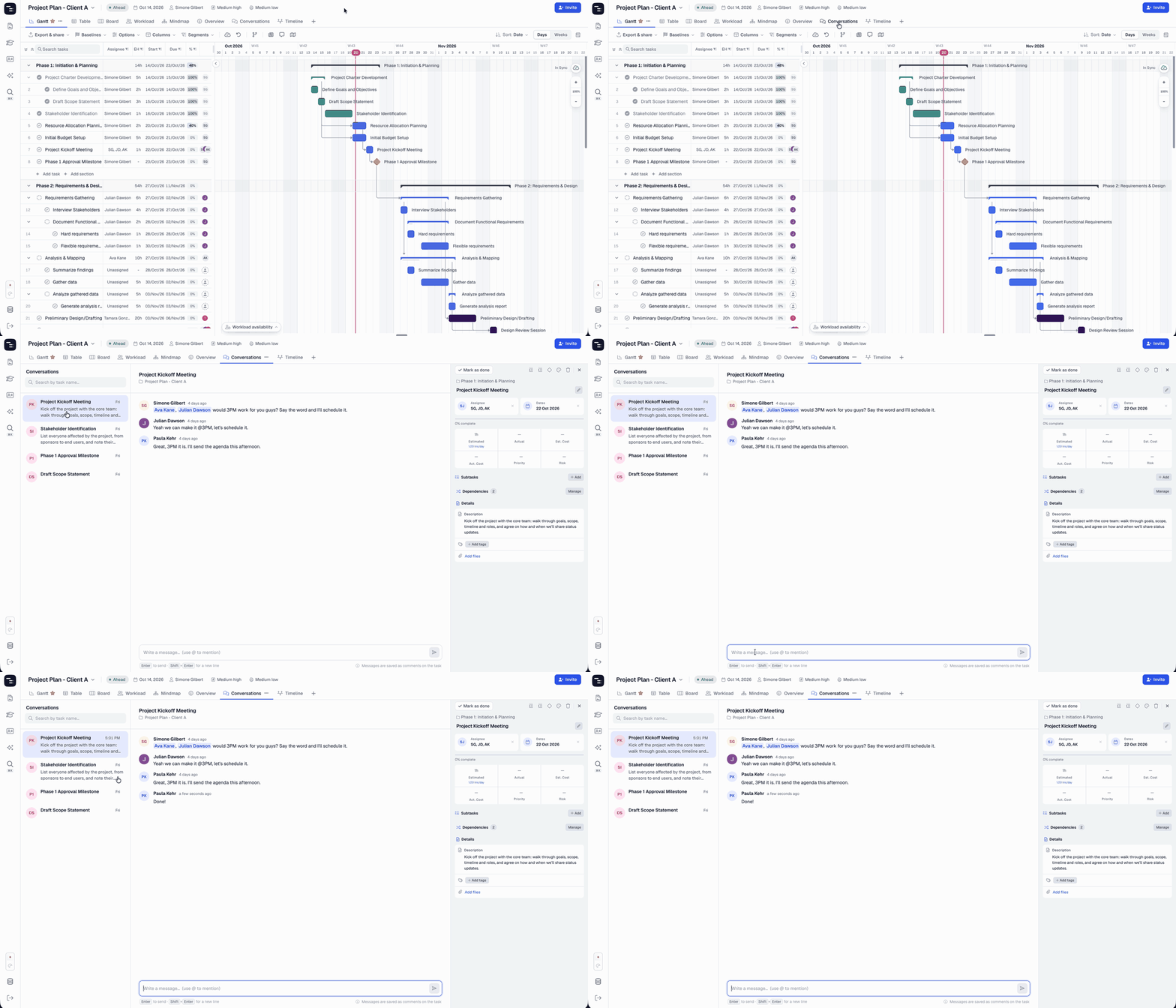
Read the guide: Conversations View
🧩 Customize your views
Show only the views your project needs, put them in the order you like, and save your setup as the default for every new project in your workbook. Keep things simple for clients and new team members, or match the views to the work, like Board for agile sprints and Timeline for long-term planning.
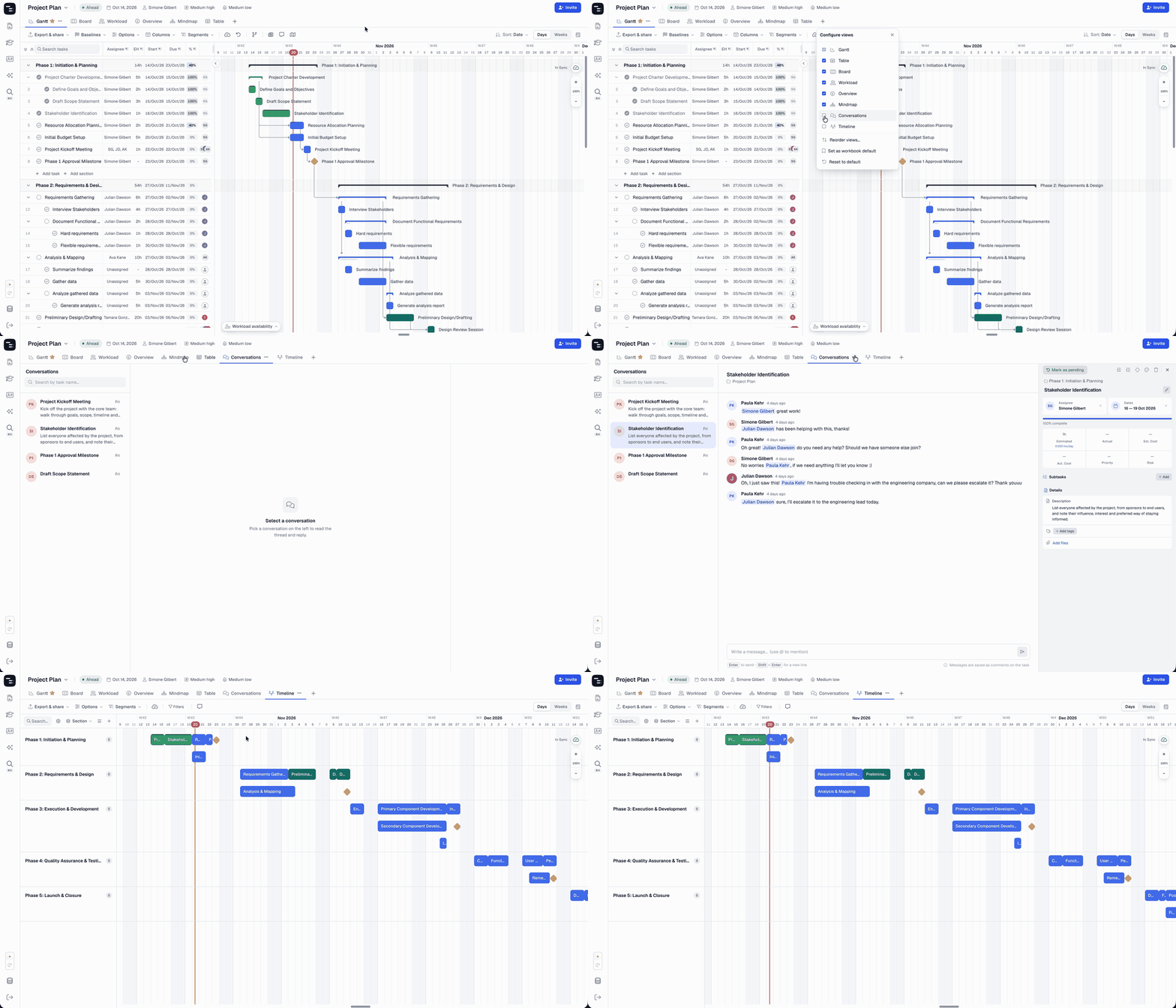
Read the guide: Customize Views
🎨 A new color picker you can make your own
The task color picker now offers a curated set of 15 colors that work beautifully together, and you can make them yours. Match Instagantt to your brand or your team’s color code: edit any of the 15 colors with a hex code, and every task using that color updates automatically across your workbook.
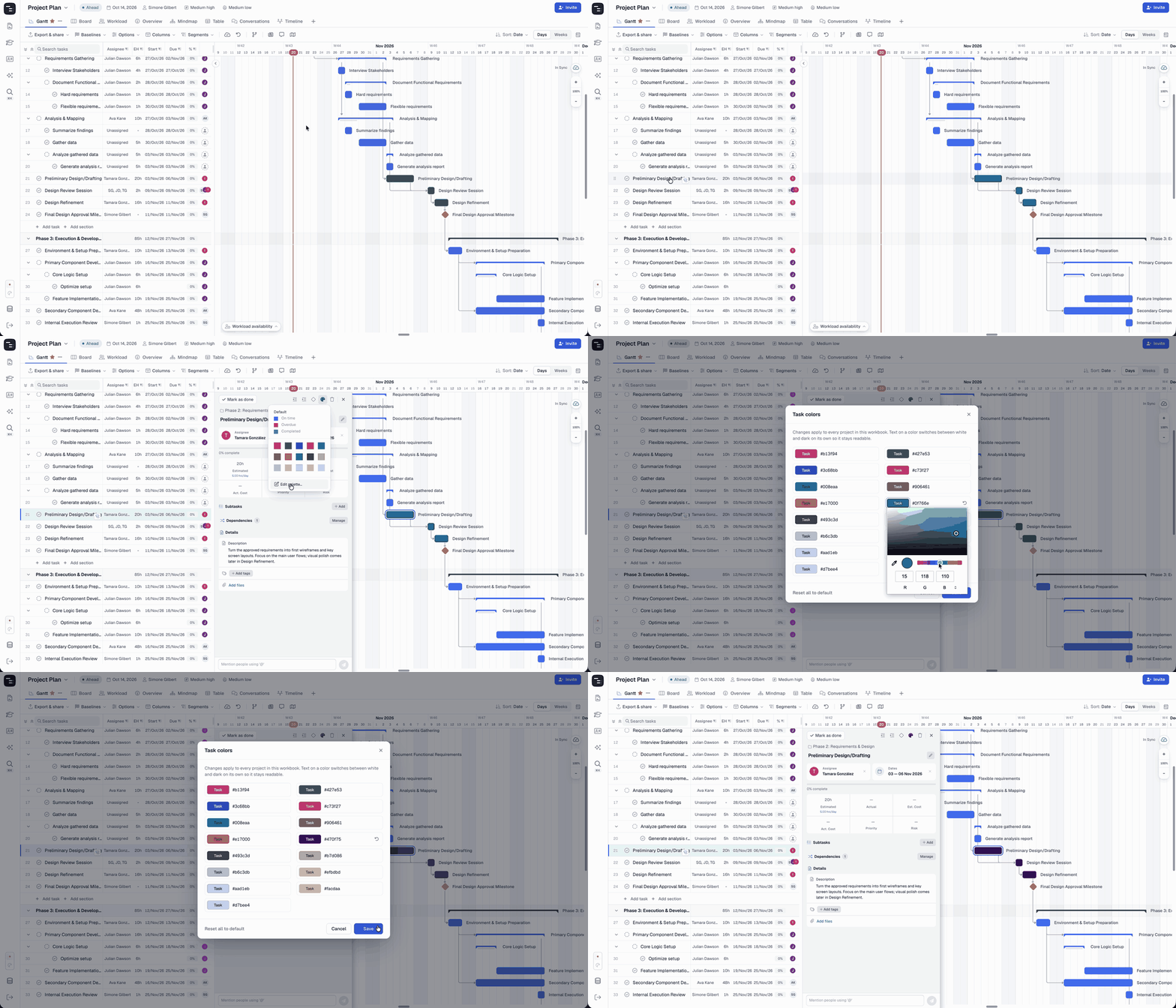
Read the guide: Color Coding Tasks
📁 Collapsible folders
More projects, less scrolling. You can now collapse any folder in the left sidebar and expand it when you need it, so long project lists stay neat, even when you’re managing dozens of projects. You asked for it, and we delivered.
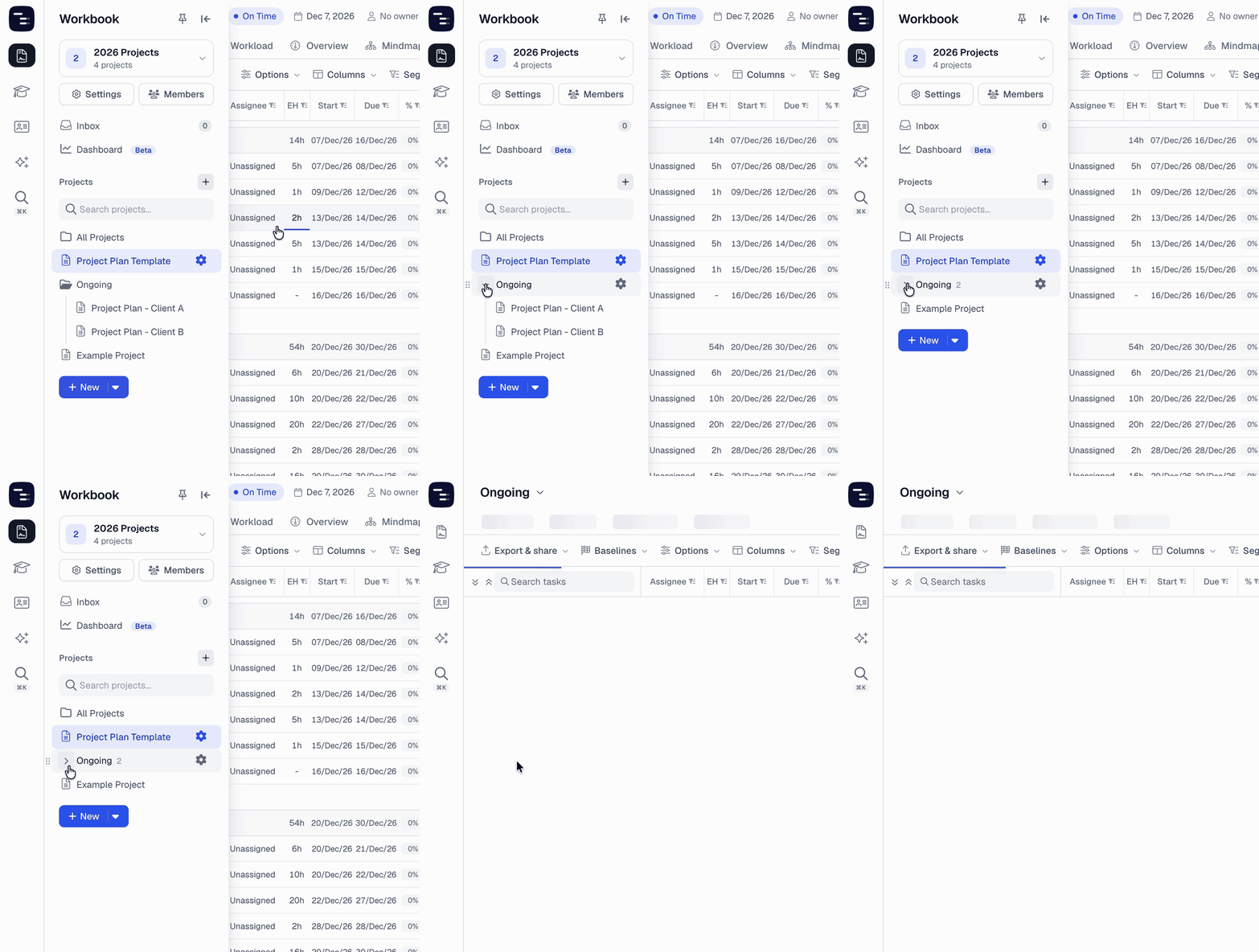
⚡ Workbook commands
Search & Commands goes further in Standalone, with commands for your whole workbook.
✅ What’s included in each version
| Feature | Instagantt Standalone | Instagantt for Asana |
|---|---|---|
| Fresh, cleaner design | ✅ | ✅ |
| Redesigned PDF and image exports | ✅ | ✅ |
| Search & Commands | ✅ | ✅* |
| Comfortable or compact layout | ✅ | ✅ |
| Duplicate project in the project menu | ✅ | ✅ |
| Redesigned Days & Weeks switch and snapshots | ✅ | ✅ |
| Timeline View | ✅ | — |
| Conversations View | ✅ | — |
| Customize Views | ✅ | — |
| New color picker with an editable palette | ✅ | — |
| Collapsible folders | ✅ | — |
* In Instagantt for Asana, Search & Commands doesn’t include workbook commands, which are exclusive to Instagantt Standalone.