Comments
Comments in Instagantt allow teams to communicate directly within tasks, keeping discussions, decisions, and context tied to the work itself. By using comments consistently, teams can improve project tracking, reduce scattered conversations, and maintain a clear communication history inside their gantt chart software.
🧭 Table of Contents
- What Are Comments in Instagantt?
- How to Add and Manage Comments
- Inbox (Left Sidebar – Standalone Only)
- New Comments Inbox (Top Toolbar – Standalone Only)
- Comments in Instagantt for Asana
- Best Practices for Commenting in Project Management
- Summary
- Frequently Asked Questions (FAQ)
🧠 What Are Comments in Instagantt?
Comments are messages attached directly to tasks and subtasks in Instagantt. They live inside the task details pane and provide a structured way to discuss progress, blockers, clarifications, and updates without losing context.
Because comments are linked to specific tasks, they support clearer collaboration and make it easier to understand why decisions were made when reviewing a project timeline later on.
✍️ How to Add and Manage Comments
All comments are added from the task details pane:
- Click a task in the Gantt chart to open the task details pane
- Scroll to the bottom of the pane
- Use the comments box to write a new comment
- Click Comment to post it
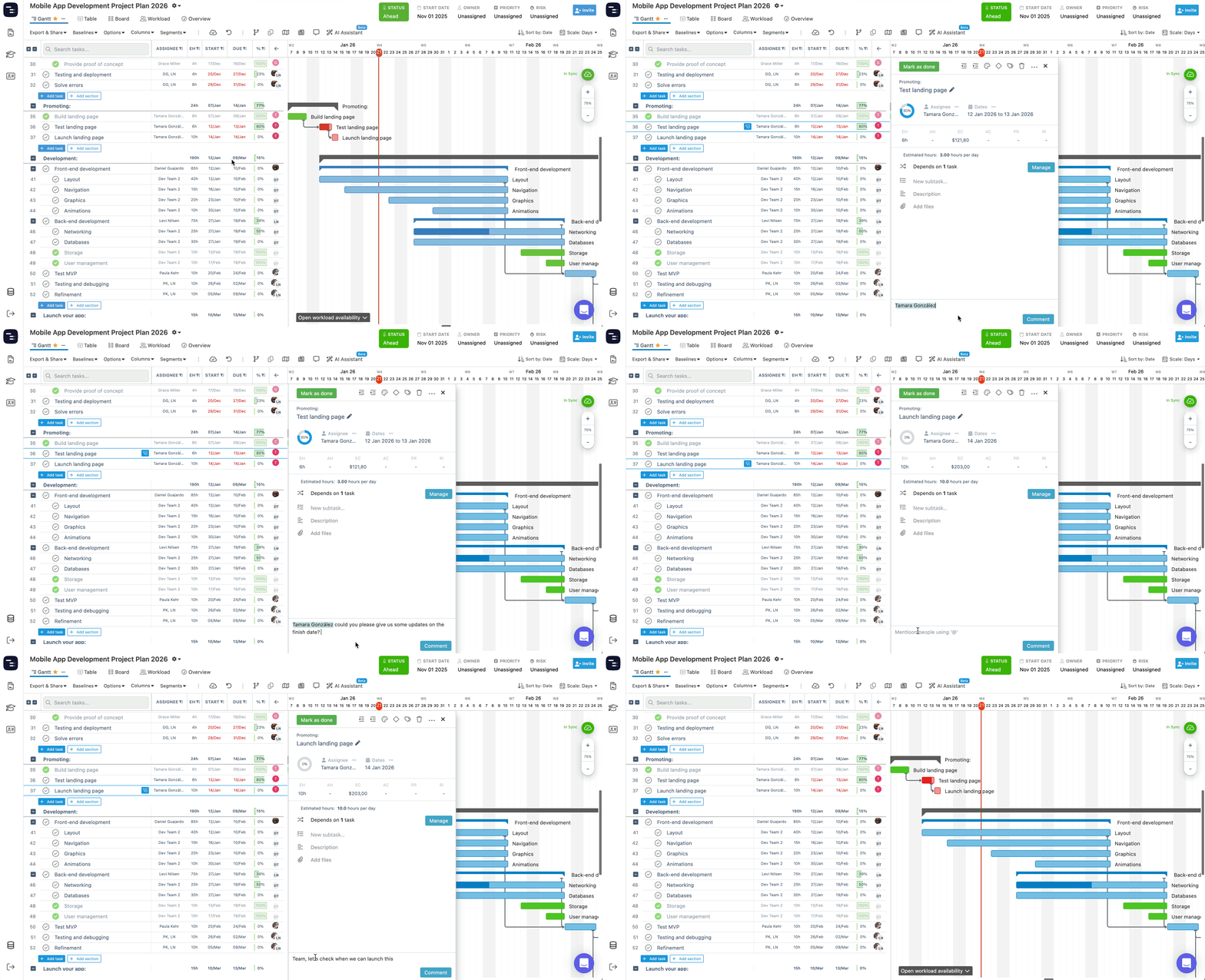
All previous comments for that task appear in chronological order, creating a clear conversation thread tied to the task’s history.
You can also mention other users in a comment by typing @ followed by their name. Mentions work the same way in both Instagantt Standalone and Instagantt for Asana, and help ensure the right people are notified and involved in the conversation.
This approach helps teams centralize communication and avoid relying on external tools for task‑level discussions during gantt chart planning and execution.
📥 Inbox (Left Sidebar – Standalone Only)
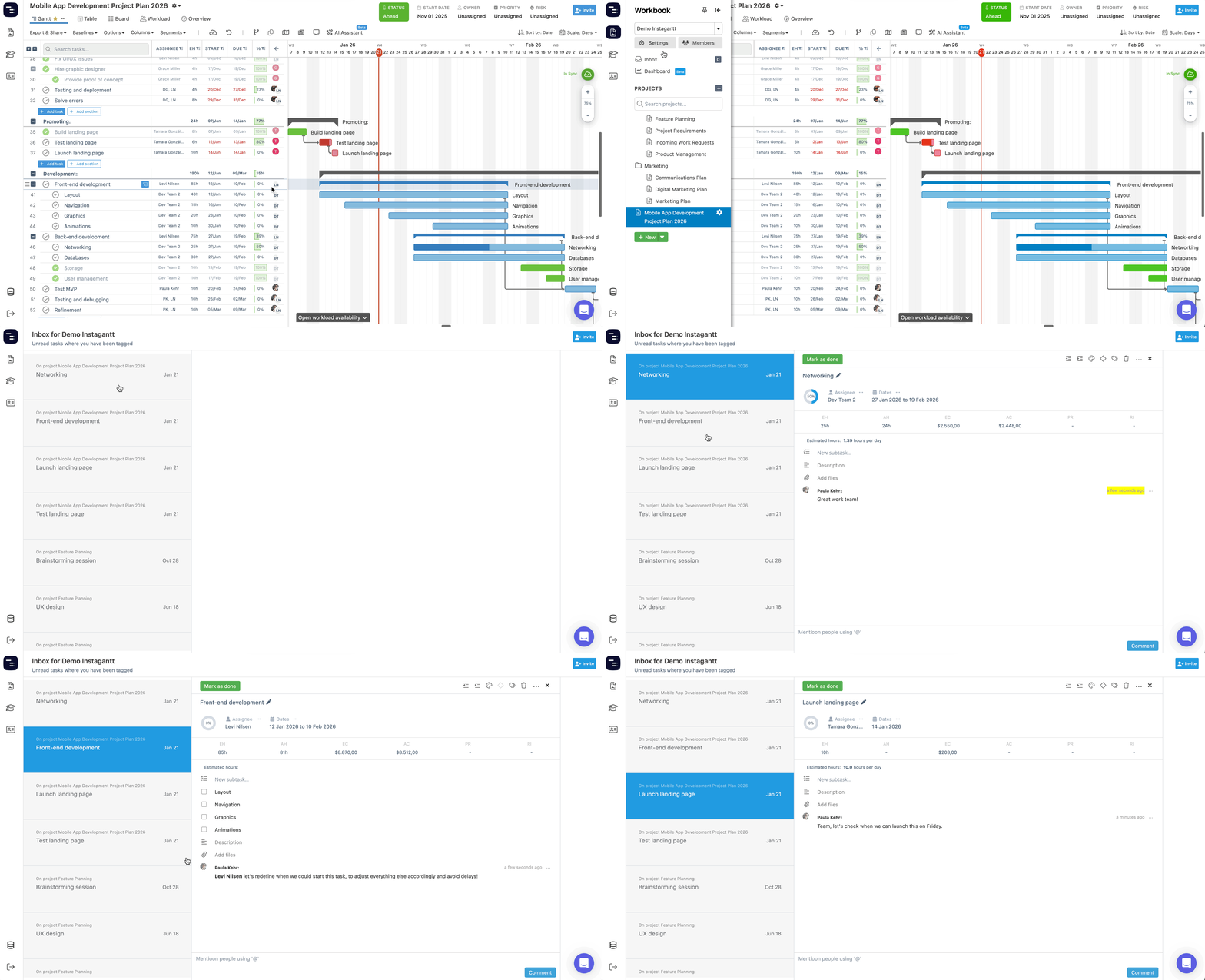
In Instagantt Standalone, comments are connected to the Inbox, available in the left sidebar above the project list.
For each user, the Inbox shows:
- Comments from conversations they have participated in
- Comments where they were directly mentioned
This makes the Inbox a personal activity feed, helping users stay on top of relevant discussions without scanning every task manually.
🔔 New Comments Inbox (Top Toolbar – Standalone Only)
Instagantt Standalone also includes a New Comments Inbox accessible from the top toolbar, designed to help you stay on top of conversations without navigating task by task.
When other team members comment on tasks you’re involved in, you’ll see visual indicators directly on the chart, making it easier to identify where new discussions are happening.
The New Comments Inbox provides a centralized stream of recent comments across all your projects, allowing you to:
- Review new comments without opening individual tasks
- Jump directly from a comment to the related task in the Gantt chart or task list
- Clear notifications once they’re no longer relevant
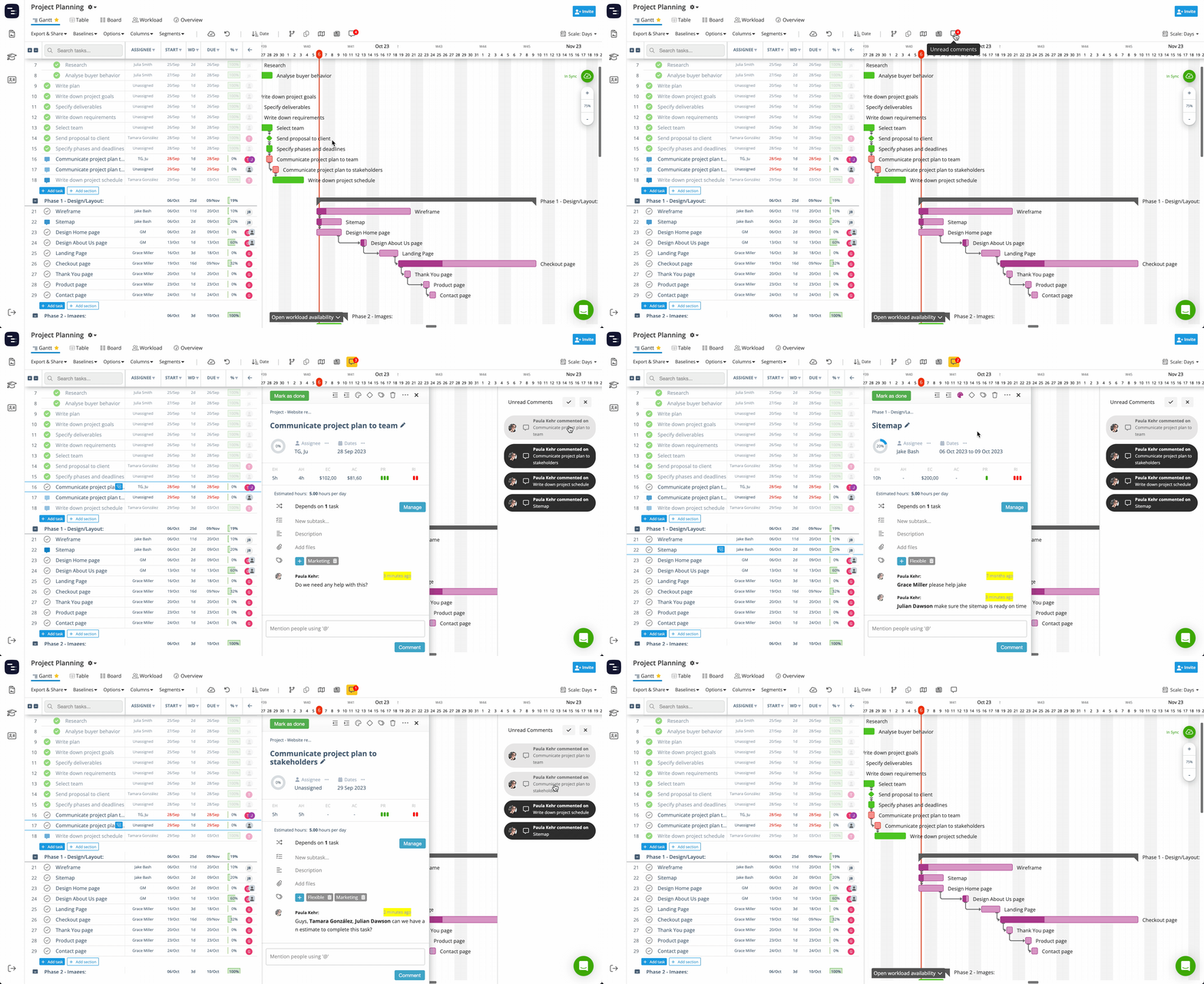
To reduce noise, the New Comments Inbox only displays comments made by other users—your own comments won’t generate notifications.
🔄 Comments in Instagantt for Asana
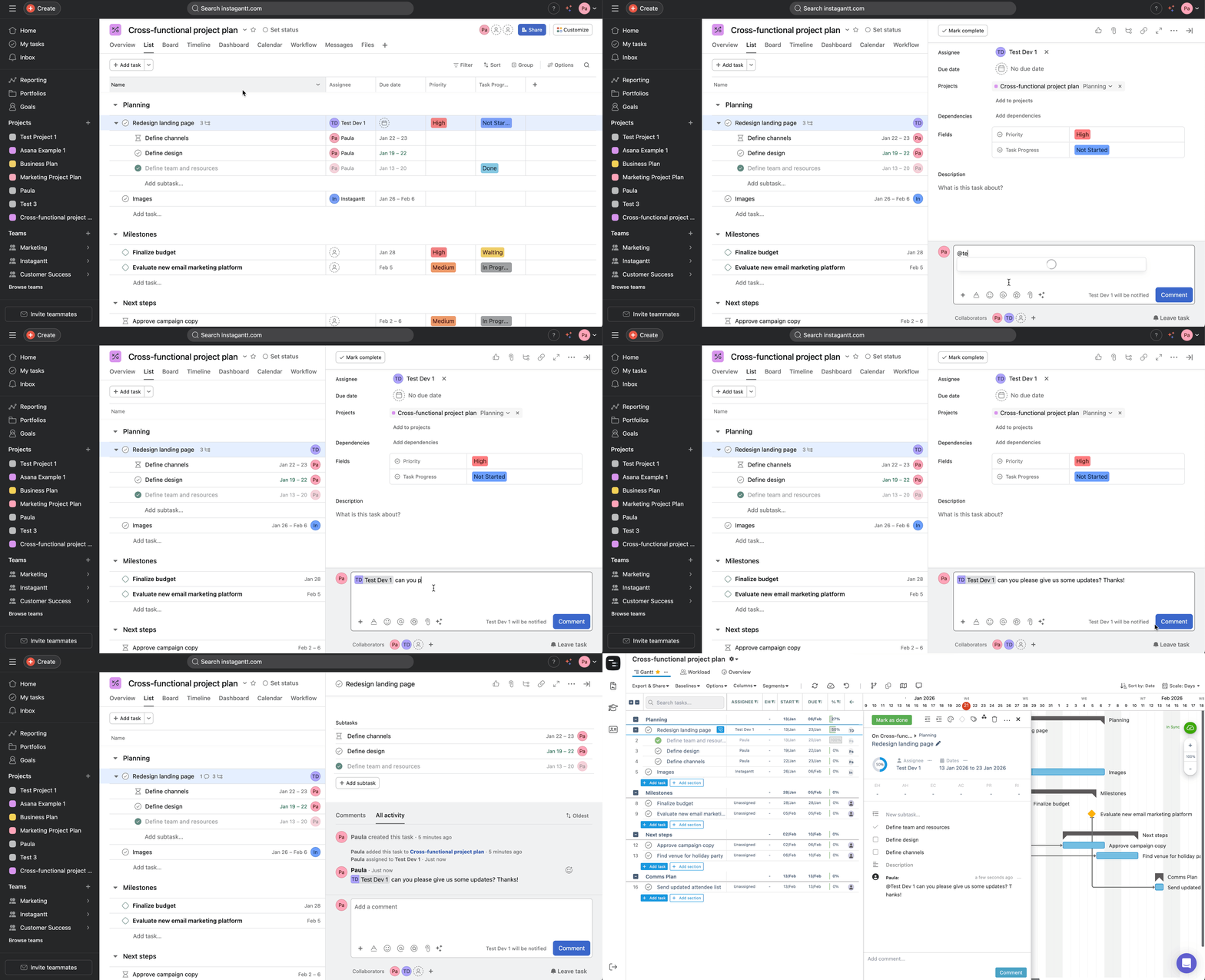
When using Instagantt for Asana, comments are designed to complement Asana’s collaboration features.
All comments added in Asana tasks and subtasks automatically sync to Instagantt, allowing you to:
- Read comments directly from the Gantt chart
- Reply to comments from Instagantt
- Keep task conversations aligned across both tools
This behavior reflects Asana’s focus on team collaboration and work management, while Instagantt enhances visibility and planning through a visual gantt chart layer.
📋 Best Practices for Commenting in Project Management
Using comments effectively can significantly improve project management and execution:
- Use comments for context, not just status updates
- Mention teammates when action or visibility is required
- Keep discussions tied to the relevant task or subtask
- Use comments to document decisions and changes
When comments are used consistently, they become a valuable project record that supports accountability, transparency, and smoother collaboration across teams.
📌 Summary
Comments in Instagantt provide a task‑level communication layer that supports clearer collaboration and better project tracking. Whether you’re working in Instagantt Standalone or syncing with Asana, comments help keep conversations organized, contextual, and easy to follow throughout the project lifecycle.
🚀 Keep Project Communication Where the Work Lives
Add comments directly to tasks, mention teammates, and keep every discussion connected to your timeline. Try commenting in Instagantt and simplify collaboration inside your Gantt charts.
❓ Frequently Asked Questions (FAQ)
Where are comments added in Instagantt?
Comments are added at the bottom of the task details pane, directly within each task or subtask.
Can I mention other users in comments?
Yes. Type @ followed by a user’s name to mention them and notify them.
Where do comments appear in Instagantt Standalone?
They appear in the Inbox on the left sidebar and in the comments inbox on the top toolbar.
Do comments sync between Instagantt and Asana?
Yes. Comments added in Asana are synced with Instagantt for Asana.